For facilities & recruiters

Find verified clinicians, fill roles, approve the hours.

Hospitals, clinics, health networks and staffing teams work in a browser-based portal built around the job they actually do: finding the right professional, moving them through an application, and keeping the record straight once the work begins.
app.locumfy.com/jobs
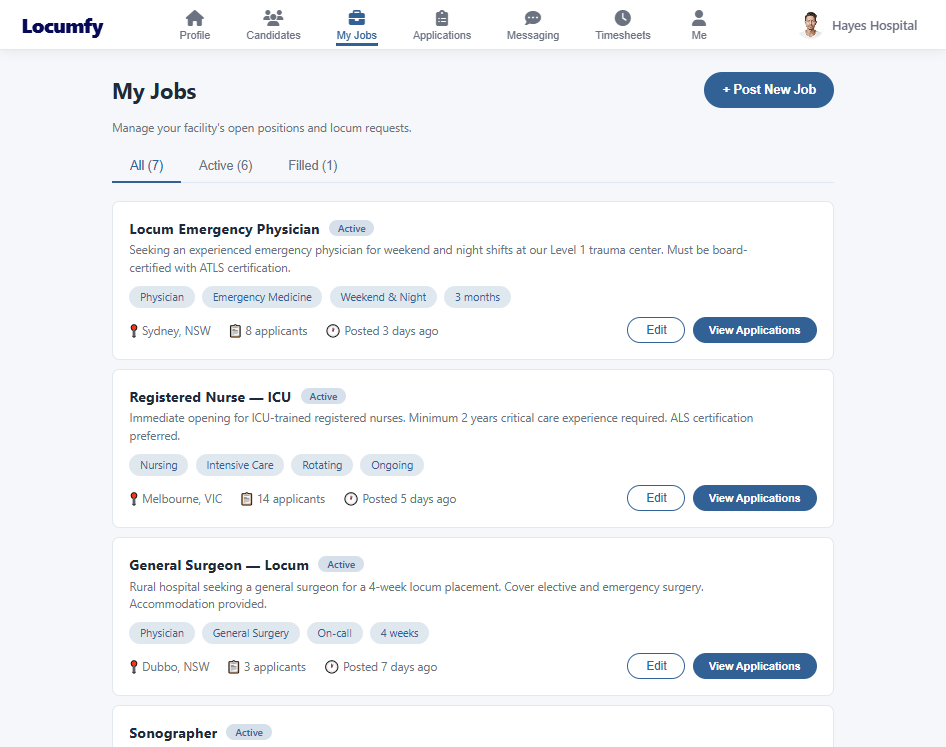
The facility portal My Jobs page listing open positions with status, specialty tags, location, applicant counts and actions to edit or view applications.
Candidates

Search professionals you can trust on sight.

Every profile in the portal is built from structured resume data and cross-checked against official records — so a licence, a specialty or a registration number means something before you make contact.

  • Linked candidates — the professionals already connected to your facility, with their current availability at a glance.
  • Discover — search the wider network by profession, specialty, credential, licence or location.
  • Structured detail — filter on the sections the parsing engine extracts, rather than reading resumes one by one.
  • Contact directly — open a conversation with a professional from their profile card.
  • Standardized resume — download a clean, consistently formatted resume for any candidate, with personal details removed when the submission requires it.
app.locumfy.com/candidates
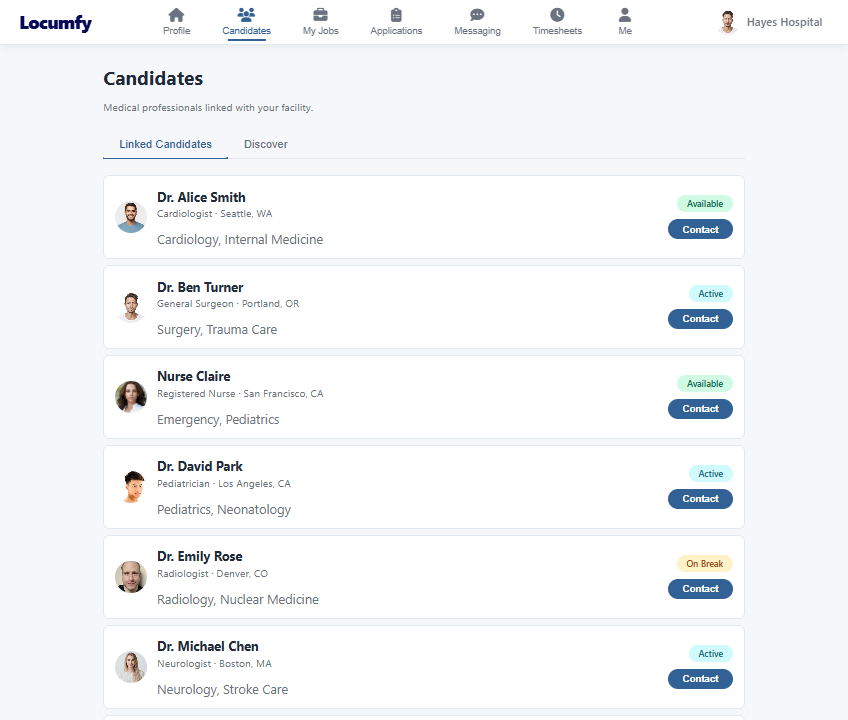
The Candidates page in the facility portal, listing medical professionals with profession, location, specialties and an availability badge.
Jobs & applications

From posted role to accepted candidate.

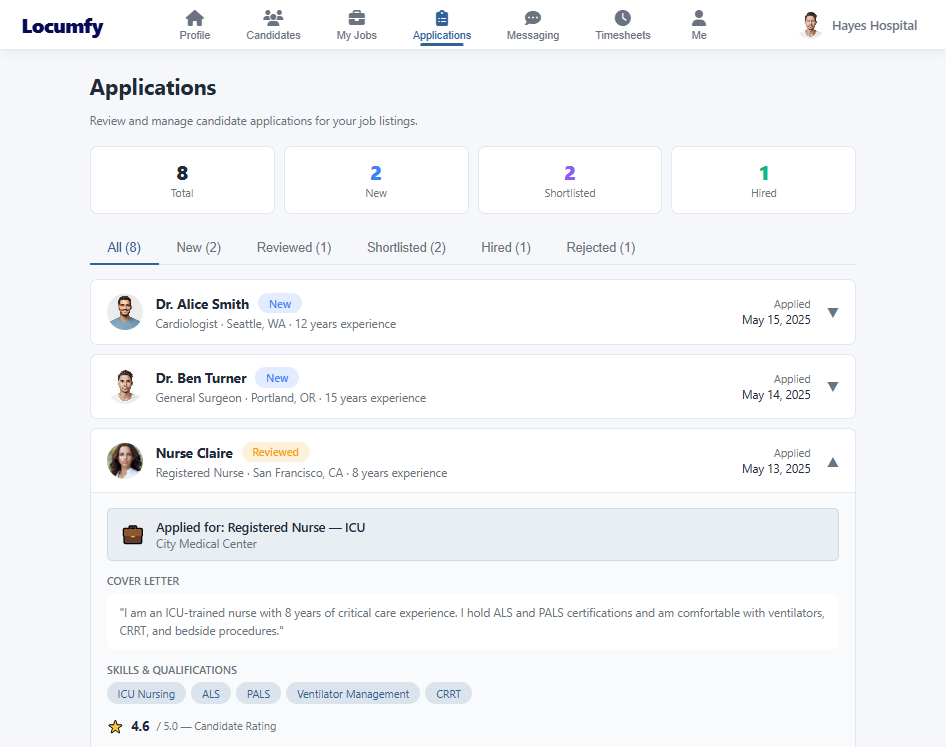
Post a role once and manage everything that follows in the same place. Applications arrive against the job, carry the candidate's verified profile, and move through a clear set of states that both sides can see.

Post

Title, specialty, setting, location, duration and requirements, published to the network.

Review

Applicants arrive with their profile, cover letter, skills and qualifications attached.

Shortlist

Move promising candidates forward and keep the pipeline visible to your whole team.

Accept

Accepting locks the professional to the role and clears their other open applications automatically.

app.locumfy.com/timesheets
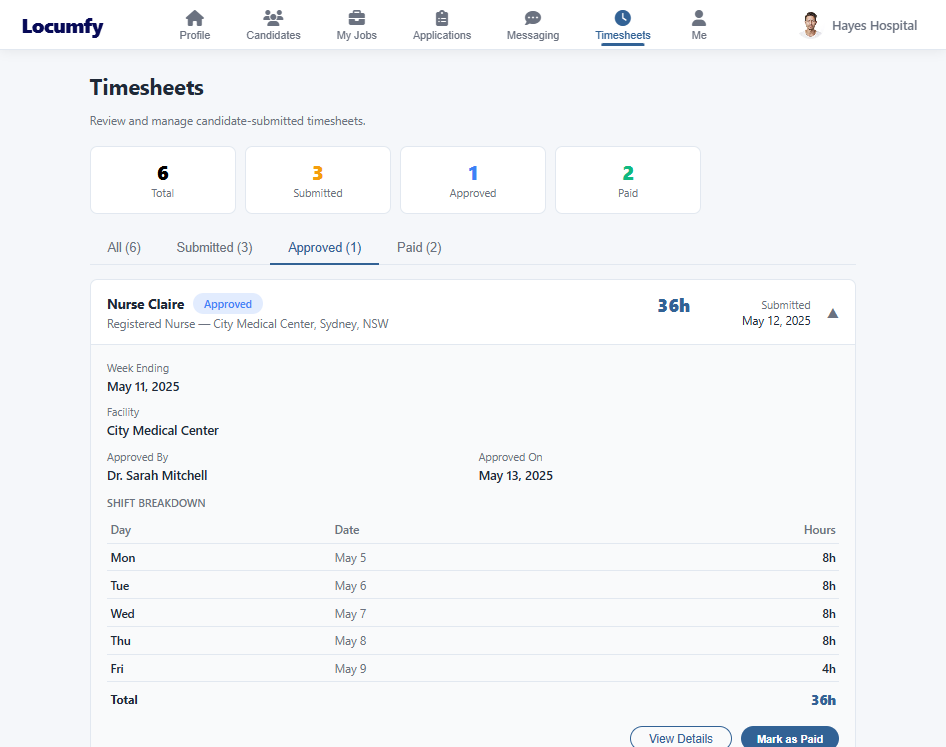
The facility Timesheets page showing counts by state and an approved timesheet expanded to a day-by-day shift breakdown.
Timesheets

Approve hours against the assignment they belong to.

When a professional works a role you posted, their timesheet comes back to you — not to a spreadsheet or an email thread. Each one arrives tied to the assignment, the week, and the person, with the full shift breakdown attached.

  • Clear states — every timesheet is open, submitted by the professional, approved by your facility, or paid — and the counts are on the page.
  • Shift-level review — day, date and hours for the whole week before you approve anything.
  • Correct authority — only the facility that posted the role can approve hours against it.
  • An auditable record — who approved a timesheet and when is stored with it.
Presence & messaging

Your facility is part of the network too.

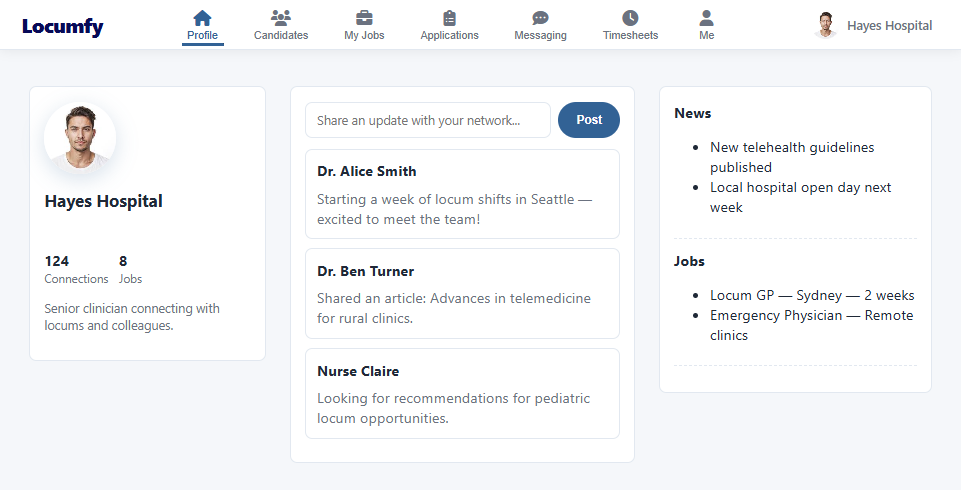
A facility keeps its own profile and feed, posts updates the professional community sees, and holds direct conversations with candidates using the same messaging system clinicians use with each other.

  • Facility profile — who you are, what you post, and the connections you have built with professionals.
  • Feed and updates — share news, open roles and announcements into the network.
  • Direct messaging — reach a candidate from their profile, an application or a timesheet.
app.locumfy.com/facility
The facility profile and feed page showing the facility summary, a post composer, recent posts, and side panels for news and jobs.
Operations & insight

Run the marketplace from one dashboard.

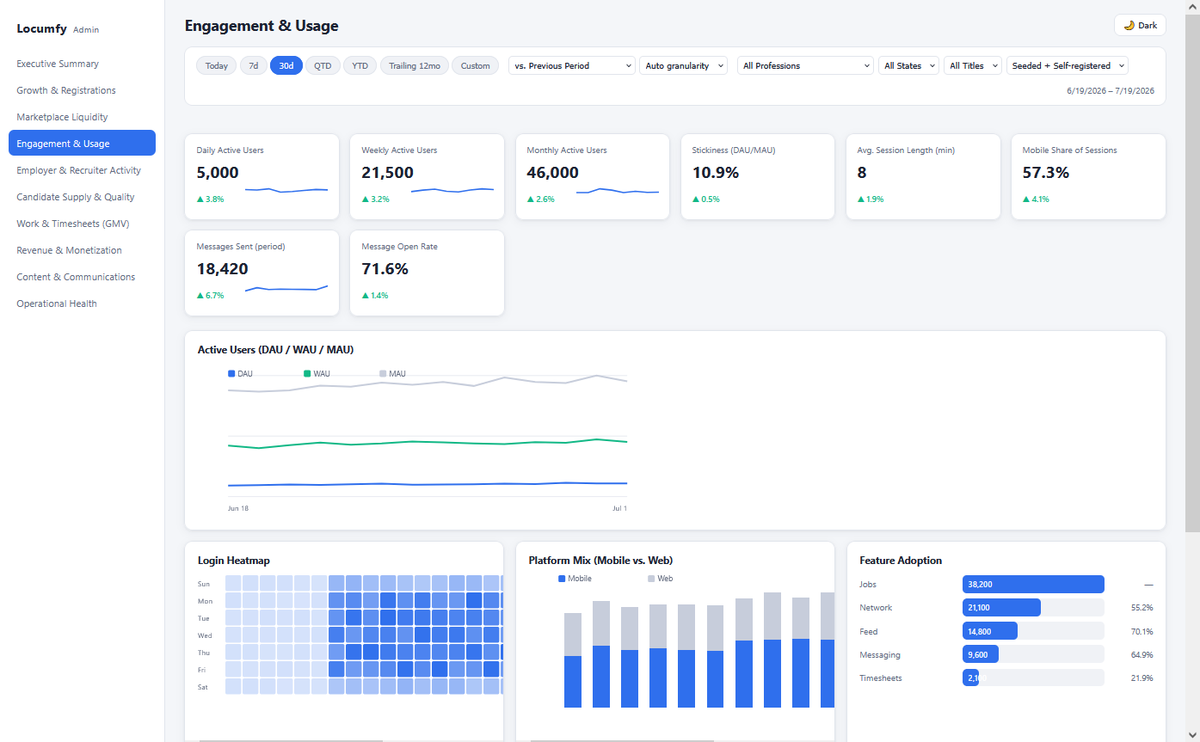
Every action on the platform is captured as structured data, which means the health of the marketplace is measurable without anyone assembling a report by hand. The operations dashboard covers growth and registrations, marketplace liquidity, engagement and usage, recruiter activity, candidate supply and quality, hours worked, and operational health.

Filters run across professions, states, titles and time ranges, so a question about one specialty in one region is a couple of clicks rather than a data request.

admin.locumfy.com/engagement
The operations dashboard Engagement and Usage view, showing active user metrics, a trend chart, a login heatmap, platform mix and feature adoption.